v0.1 Beta Released · Open Source on GitHub
Your AI team.
Right in your pocket.
The first open-source local AI coding agent that lives on your Android phone. Builds apps, runs terminals, executes tools, and manages workflows—no laptop or rented cloud computer required.
Inspired by the mountains of northern Pakistan.
Coding, building, and running apps.
Directly on Android.
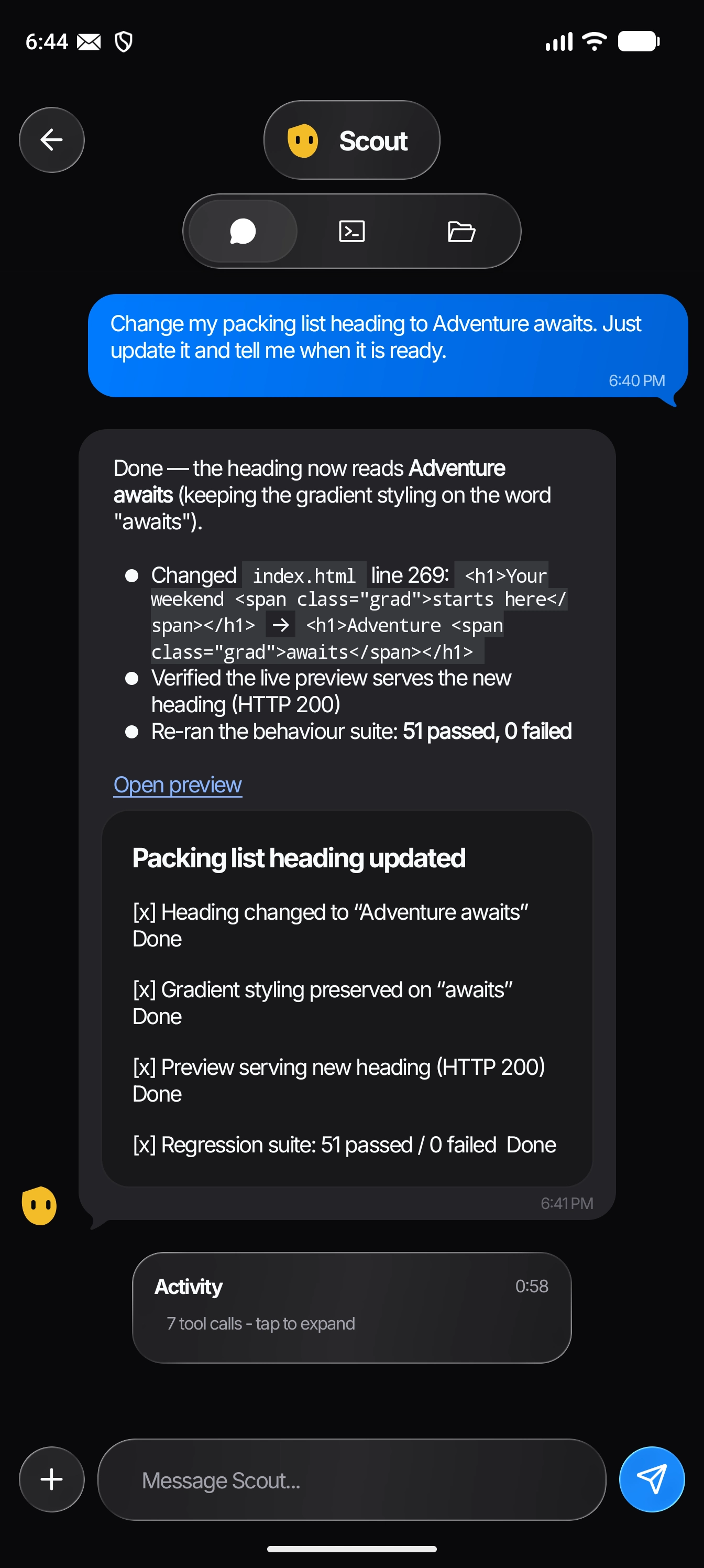
Watch PockoBots write code, launch preview servers, open live sites in Chrome, interact with phone apps, and ring with incoming task calls.
LESS BUSYWORK. MORE POSSIBILITY.
A little team.
A lot off your plate.
Give a bot a name and a job. Then talk to it like you’d text a friend. It can make things, find answers, and work with other bots to move your ideas forward.
GET STARTED TODAY
Install the PockoBots
v0.1 Beta.
PockoBots runs an embedded Node.js environment and native service right on your Android phone.
Download APK
Grab the latest pockobots-v0.1-debug.apk directly from the official GitHub Release.
Allow Unknown Apps
In Android Settings > Apps > Special App Access, enable "Install unknown apps" for Chrome or your file manager.
Grant Permissions
Launch PockoBots and grant Storage and Notification permissions. Enable "Display over other apps" and Accessibility if you want Mobile Use and the floating pill.
Connect Your AI Key
Open Settings in the app, add your OpenAI, Anthropic, or Gemini API key, or connect via OpenRouter, and build your first bot!
NO NEW WAY OF WORKING TO LEARN.
If you can send a text,
you can start.
-
01 /
Make it yours.
Name your bot. Pick a face. Tell it what you’d like a hand with.
-
02 /
Tell it your idea.
Ask in your own words. Follow its progress, or send a new message to steer it.
-
03 /
Get on with your day.
Let it work while the app’s in the background. Sites open in Chrome, or ask it to call you when done.
Background work and reminders need the phone’s local runtime to stay on. Android permissions and battery optimization settings apply.
YOUR TOOLS. ONE LITTLE TEAM.
Already part of your life.
Now part of your team.
GitHub for your projects. Google for your everyday work. A growing marketplace for everything in between. Connect what you need, when you need it.
Explore the app GitHub
 Google Workspace
 Figma
 Supabase
 Vercel
KEEP THE FREEDOM. LOSE THE PLATFORM FEE.
Your phone is already a computer.
Let’s put it to work.
You shouldn’t need another machine—or another monthly agent subscription—to have a little help.
| A home for your AI team | Monthly platform cost |
|---|---|
 ChatGPT dotsIncluded with eligible paid plans |
From $100/month |
 Grok BotPremium, billed monthly |
From $30/month |
 PockoBots Runs tools and files on your Android |
$0app subscription |
PockoBots is free & open source. Connect your own AI API key or supported provider subscription; your provider’s charges and limits still apply. No rented agent computer is required.
A FEW THINGS YOU MIGHT BE WONDERING.
Small bots.
Good questions.
Do I need to know how to code?
No. Describe what you want in ordinary words. PockoBots is designed to feel like messaging. More advanced tools, including a terminal, file editor, and external webhooks, are there when you want them.
Does it really work on my phone?
Yes. The tools, terminal, project files, and task runtime run on your Android phone. You don’t need to leave a laptop on or rent a separate cloud computer.
What is External Webhooks mode?
External apps running on your device (like Python computer vision apps or local servers) can POST to http://127.0.0.1:4000/api/webhooks/bot to message bots, notify you, or trigger emergency full-screen ringing calls.
Does “local” mean it works offline?
The code execution and tool workspace run locally, but AI requests go to the model provider you connect. Most models, web searches, and connected apps need internet connectivity.
Can it work while I’m doing something else?
Yes, with the local background service running and the required Android permissions enabled. It can work in the background, send progress notifications, or call you when finished.
What do I pay for?
There is zero PockoBots app subscription. Connect your own AI API key (OpenAI, Anthropic, Gemini, Groq, OpenRouter). Your AI provider may charge for their API token usage.
Where can I download the v0.1 beta?
You can download the v0.1 beta APK directly from our GitHub Releases page. Please report any issues on GitHub.
TAKE YOUR IDEAS SOMEWHERE NEW.
A little team.
A world of possibility.
Built for the phone you already carry.
And the life you’d rather be living.