Out now · Open Source on GitHub

Your AI team.
Right in your pocket.

The first open-source local AI coding agent that lives on your Android phone. Builds apps, runs terminals, executes tools, and manages workflows—no laptop or rented cloud computer required.

Real app. Real little helpers.

Inspired by the mountains of northern Pakistan.

No laptop required Local runtime on phone Zero platform fees

Coding, building, and running apps.
Directly on Android.

Watch PockoBots write code, launch preview servers, open live sites in Chrome, interact with phone apps, and ring with incoming task calls.

LESS BUSYWORK. MORE POSSIBILITY.

A little team.
A lot off your plate.

Give a bot a name and a job. Then talk to it like you’d text a friend. It can make things, find answers, and work with other bots to move your ideas forward.

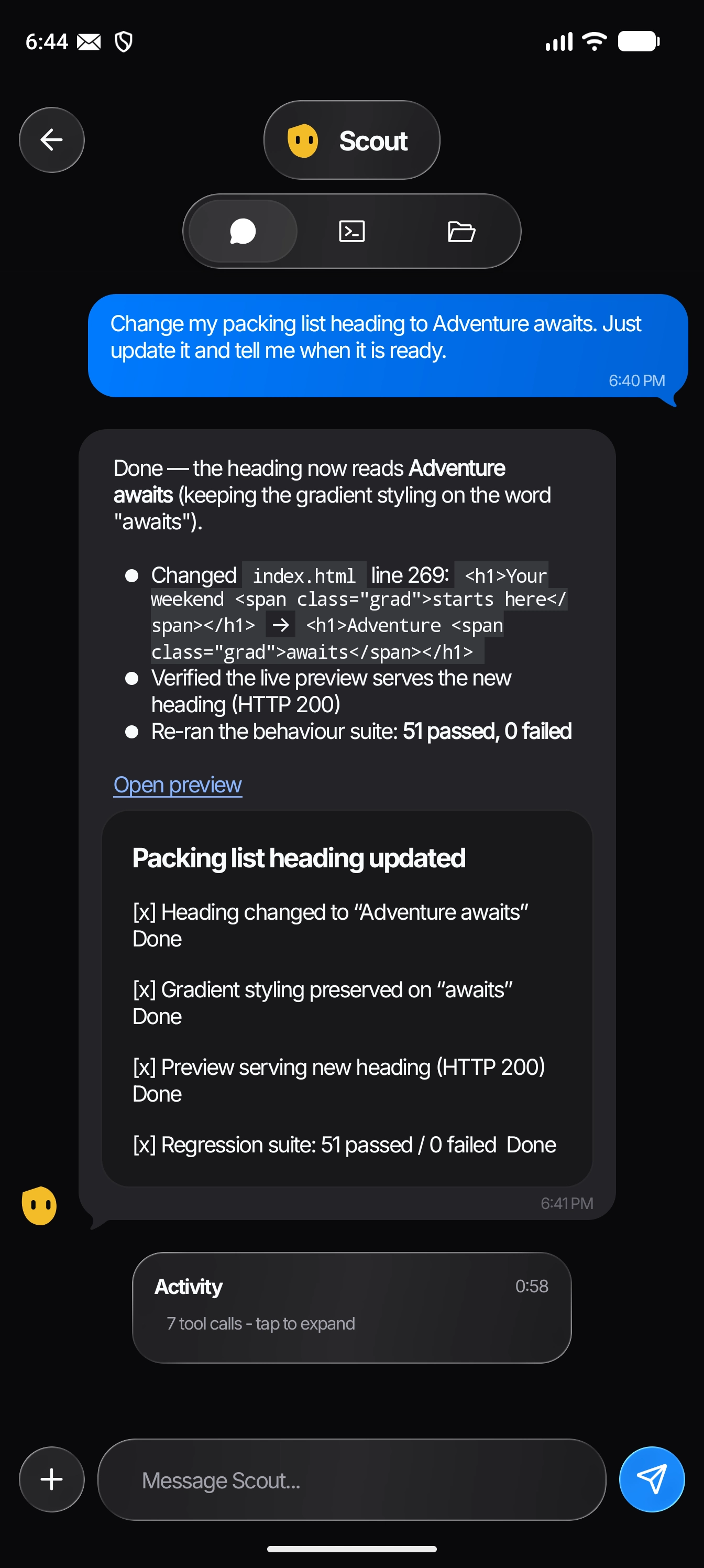
PockoBots chat with a bot building a weekend packing list
An actual conversation in the Android app.

JUST LANDED

A browser of its own.
A subscription you already have.

Three things just landed: every bot now works in its own browser, the subscription you already pay for runs inside the app, and free models are there before you sign in to anything.

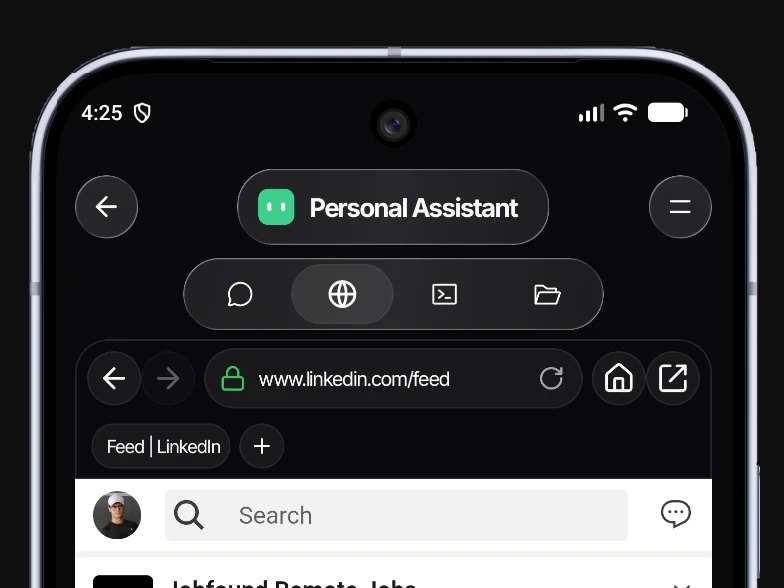
The PockoBots in-app browser with its own address bar and its own tab strip, open on a LinkedIn tab
01

Each Bot inside PockoBots now gets a Browser to control

Every bot opens and uses a browser of its own on your phone — with tabs of its own, saved logins and remembered sessions. You can open, switch and close those tabs yourself while the bot keeps working.
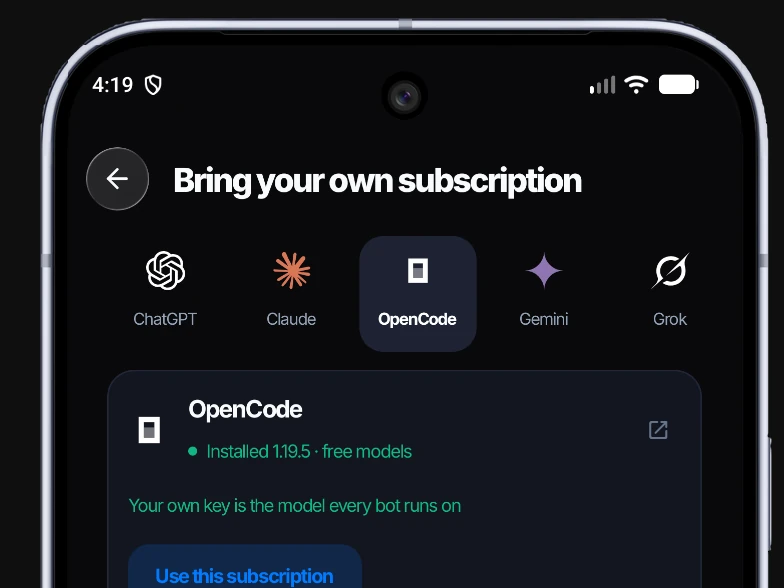
The Bring your own subscription screen with the ChatGPT, Claude, OpenCode, Gemini and Grok providers to choose from
02

Bring your own existing subscriptions (GPT, Claude, Gemini, etc)

Already paying for GPT, Claude, Gemini, Grok or Cursor? Sign in to that CLI inside the app and PockoBots runs on it. Your credentials stay in the vendor's own storage on your phone, and your plan's usage limits show up where they belong.

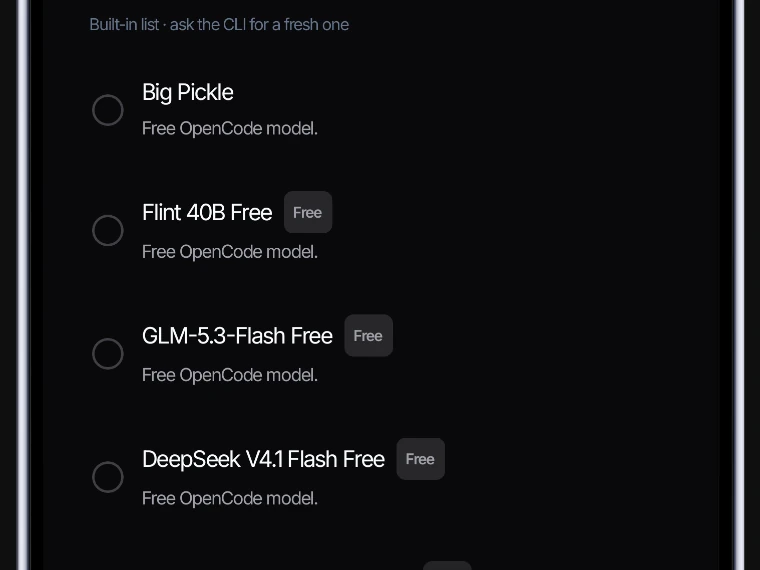
The OpenCode model picker listing the free OpenCode models a bot can run
03

Free OpenCode Models Available Inside PockoBots (DeepSeek v4.1 Flash, GLM 5.3 Flash, +10 more)

Those free models run with no account and no key. Install the OpenCode CLI, and a bot can answer before you have signed in to anything at all.

GET STARTED TODAY

Install the PockoBots
for your phone.

PockoBots runs an embedded Node.js environment and native service right on your Android phone.

PockoBots Standard

Recommended

Zero install blocks. Full local coding agent, interactive Node.js, Python, Git runtime, floating pill overlay, and Chrome previews.

Download Standard APK ↗

PockoBots Mobile Use

Adds the Artemis accessibility service for automated on-screen Android app interaction and screen taps.

Notice: If Google Play Protect flags this edition during install, temporarily turn off "Scan apps with Play Protect" in Google Play Store settings.
Download Mobile Use APK ↗
01 /

Download APK

Choose either the Standard (Recommended) or Mobile Use APK from the cards above directly to your Android device.

02 /

Allow Unknown Apps

In Android Settings > Apps > Special App Access, enable "Install unknown apps" for Chrome or your file manager.

03 /

Grant Permissions

Launch PockoBots and grant Storage and Notification permissions. Enable "Display over other apps" and Accessibility if you want Mobile Use and the floating pill.

04 /

Connect Your AI Key

Open Settings in the app, add your OpenAI, Anthropic, or Gemini API key, or connect via OpenRouter, and build your first bot!

NO NEW WAY OF WORKING TO LEARN.

If you can send a text,
you can start.

  1. 01 /

    Make it yours.

    Name your bot. Pick a face. Tell it what you’d like a hand with.

  2. 02 /

    Tell it your idea.

    Ask in your own words. Follow its progress, or send a new message to steer it.

  3. 03 /

    Get on with your day.

    Let it work while the app’s in the background. Sites open in Chrome, or ask it to call you when done.

Background work and reminders need the phone’s local runtime to stay on. Android permissions and battery optimization settings apply.

YOUR TOOLS. ONE LITTLE TEAM.

Already part of your life.
Now part of your team.

GitHub for your projects. Google for your everyday work. A growing marketplace for everything in between. Connect what you need, when you need it.

Explore the app
GitHub
Google Workspace
Figma
Supabase
Vercel

KEEP THE FREEDOM. LOSE THE PLATFORM FEE.

Your phone is already a computer.
Let’s put it to work.

You shouldn’t need another machine—or another monthly agent subscription—to have a little help.

Entry plan comparison for PockoBots, ChatGPT dots and Grok Bot
A home for your AI teamMonthly platform cost
ChatGPT dotsIncluded with eligible paid plans From $100/month
Grok BotPremium, billed monthly From $30/month
PockoBots Runs tools and files on your Android $0app subscription

PockoBots is free & open source. Connect your own AI API key or supported provider subscription; your provider’s charges and limits still apply. No rented agent computer is required.

A FEW THINGS YOU MIGHT BE WONDERING.

Small bots.
Good questions.

Do I need to know how to code?

No. Describe what you want in ordinary words. PockoBots is designed to feel like messaging. More advanced tools, including a terminal, file editor, and external webhooks, are there when you want them.

Does it really work on my phone?

Yes. The tools, terminal, project files, and task runtime run on your Android phone. You don’t need to leave a laptop on or rent a separate cloud computer.

What is External Webhooks mode?

External apps running on your device (like Python computer vision apps or local servers) can POST to http://127.0.0.1:4000/api/webhooks/bot to message bots, notify you, or trigger emergency full-screen ringing calls.

Does “local” mean it works offline?

The code execution and tool workspace run locally, but AI requests go to the model provider you connect. Most models, web searches, and connected apps need internet connectivity.

Can it work while I’m doing something else?

Yes, with the local background service running and the required Android permissions enabled. It can work in the background, send progress notifications, or call you when finished.

What do I pay for?

There is zero PockoBots app subscription. Connect your own AI API key (OpenAI, Anthropic, Gemini, Groq, OpenRouter). Your AI provider may charge for their API token usage.

Can it use the subscription I already pay for?

Yes. You can install a vendor's CLI from the app, sign in to it, and let PockoBots run on your Codex, Claude Code, Gemini, Grok or Cursor plan. Your credentials stay in the vendor's own storage on your phone — PockoBots never imports or copies them — and the app shows your plan's usage limits when the CLI reports them. OpenCode's free models also work with no account and no key.

Where can I download the APK?

You can download the APK directly from our GitHub Releases page. General users should choose the Standard edition for an instant, warning-free installation. Power users wanting on-screen Android app automation can select the Mobile Use edition (which requires temporarily turning off Play Protect scanning if prompted).

PockoBots logo

TAKE YOUR IDEAS SOMEWHERE NEW.

A little team.
A world of possibility.

Built for the phone you already carry.
And the life you’d rather be living.